
Every website owner, at some point, is confronted by a series of frustrating questions. These aren’t just idle curiosities; they might be valuable keys to unlock your website’s true potential.
Let’s delve into four of the most common and crucial questions when it comes to website optimization.
[ad] Discover these new trends and visit the WebtechChannel24.com Shop


And let us explore right away how to find the answers that will really drive your online success. Website optimization is no mystery at all. If you apply consistent work and define your website’s content, you will get rewarded.
- Table of Content
- Website optimization mystery – The introduction
- The technical aspect of website optimization
- Pagespeed: A crucial factor in website optimization
- Why linkbuilding is not a website optimization mystery
- Are backlinks a road to more website visibility
- How important are snippets in website optimization?
- Where are best backlink sources for my blog?
- Is backlink quality a hidden website optimization mystery
- AI Tools for website optimization
Website optimization mystery – The introduction
First website optimization mystery: One automated click and you are done. This is not yet the case. Although many SEO tools have great features. The automized optimization process is not yet at the point that every part of your website is modernised, and you can lay back in your office chair. We are going to look at website optimization from a semi-automized/semi-professionalised point of view. Let’s get into the details….
The first question takes us to your website’s speed. One of many SEO measures that we really have to take care of. It has become more important over the past years.
“The perfect search engine would be something that understands exactly what you mean and gives you back exactly what you want.”
Larry Page, Co-founder of Google
The second question we want to focus on, is even more essential and many webmaster are out there and don’t find best solutions out of this almost constant misery….

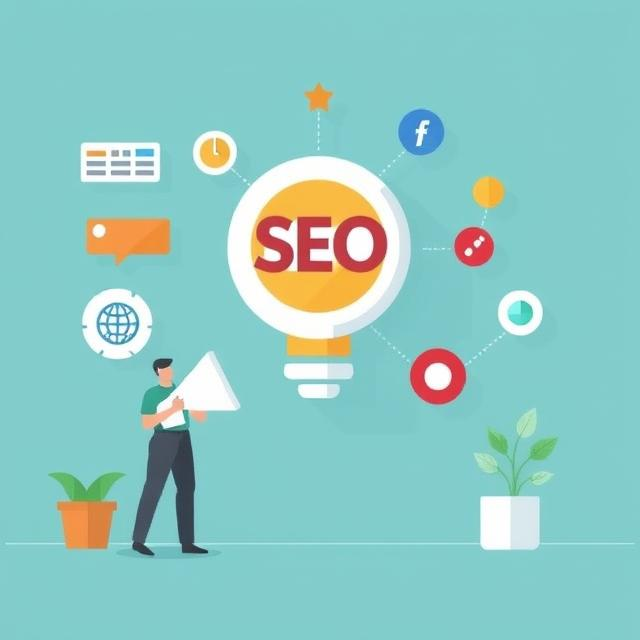
#1 Website optimization mystery: Why isn’t my website optimization leading to higher rankings in search results?

Visibility is paramount in the online world. A website buried deep within search engine results is effectively invisible to most potential visitors. Search engine optimization (SEO) is the answer, but it’s a multifaceted discipline. Content quality is king; create informative, engaging, and relevant content that addresses your target audience’s needs.
Keyword research plays a vital role in understanding the language your audience uses to search for information. Technical SEO, including site structure, mobile-friendliness, and site speed, also significantly impacts rankings.
Building high-quality backlinks from reputable websites can further enhance your site’s authority and visibility. Regularly analyze your website’s performance using tools like Google Search Console and adjust your SEO strategy accordingly. Patience and persistence are key; SEO is an ongoing process that requires continuous effort.
#2 Website optimization mystery: Why are users leaving my website so quickly?
Then, “Why are users leaving my website so quickly?” A high bounce rate—the percentage of visitors who leave your website after viewing only one page—is a clear indicator of a problem. User experience is the primary driver of engagement.
A cluttered or confusing website design, irrelevant content, and slow loading times can all contribute to a high bounce rate.
Analyze your website’s analytics to understand user behavior. Identify pages with high bounce rates and investigate potential issues. Ensure your website is easy to navigate, provides clear calls to action, and offers content that resonates with your target audience.
Conduct user testing to gain valuable insights into how visitors interact with your website and identify areas for improvement. A positive user experience encourages visitors to stay longer and explore more of your content.
#3 Website optimization mystery : Why aren’t my website visitors converting into customers?
Generating traffic is only half the battle; converting those visitors into paying customers is the ultimate goal. A low conversion rate suggests a disconnect between your website and your target audience. Ensure your website clearly communicates your value proposition and provides a seamless user journey. Implement clear and compelling calls to action that guide visitors towards desired actions.
Optimize your landing pages for conversions, focusing on clarity, relevance, and persuasive messaging. Build trust by showcasing testimonials, reviews, and security badges. Analyze your conversion funnel to identify any bottlenecks or drop-off points.
A/B testing can help you experiment with different elements and identify what resonates best with your audience. Remember, conversion optimization is an iterative process that requires continuous analysis and refinement.
#4 Website optimization mystery: Why is my website loading so slowly?
This question strikes at the heart of user experience. In today’s fast-paced digital landscape, patience is a scarce commodity.
A slow-loading website is a sure-fire way to frustrate visitors and drive them away. The culprits behind sluggish performance can be manifold. Large, unoptimized images, excessive JavaScript, inefficient server responses, and even poor hosting choices can contribute to delays. Start by analyzing your website’s speed using tools like Google PageSpeed Insights.
These tools provide valuable insights into specific bottlenecks and offer actionable recommendations for improvement.
Optimizing images, minimizing HTTP requests, and leveraging browser caching are just a few strategies that can significantly boost loading times. Remember, every second counts; a faster website translates to happier users and a better overall experience.
Practical bonus questions to website optimization: What reduces unused css?
Removing unused CSS significantly improves website performance by reducing file sizes and load times. 1 Code minification tools strip unnecessary characters and whitespace, shrinking the CSS file. 2 CSS tree shaking, employed by modern build tools, eliminates unused styles during the build process. 3 Identifying and deleting redundant or overridden CSS rules is crucial. Utilizing browser developer tools helps pinpoint styles that are never applied to any elements. If you are using wordpress here some good plugin tools that will help…
While several WordPress plugins can help reduce unused CSS, primarily by either removing it directly or by optimizing its delivery.
Here are 2 of the most popular wp plugin options:
- WP Rocket: While primarily a caching plugin, WP Rocket offers features like “Remove Unused CSS.” It attempts to automatically identify and remove unused CSS, which can significantly improve page load times.
- LiteSpeed Cache: This plugin, designed for LiteSpeed servers, also includes features to optimize CSS delivery, including the removal of unused CSS. It is a powerful all in one optimization plugin.
Employing a CSS coverage tool reveals which styles are actually used on specific pages. Adopting a “mobile-first” approach not only often leads to cleaner but also towards leaner CSS structures, while minifications are yet best practices and recommendable.
Addressing these four critical “why” questions is essential for website success. By understanding the underlying issues and implementing effective solutions, you can create a website that not only attracts visitors but also engages them and converts them into loyal customers.
Why is my website traffic dropping despite having high-quality content?
A sudden drop in traffic often points to a “hidden” technical mystery like a Google core algorithm update or a critical crawl error in your robots.txt file. Even if your writing is excellent, search engines may stop indexing your pages if your site’s architecture has become bloated or if mobile-friendliness scores have dipped below a specific threshold. 1
Webmasters should investigate their Google Search Console for manual actions or security issues that might have silently de-indexed high-performing URLs. Often, the mystery is solved by discovering that a plugin update inadvertently changed your canonical tags, causing search engines to view your content as a duplicate.
What causes a high bounce rate on pages that appear to be fully optimized?
A high bounce rate on an optimized page is frequently a mystery rooted in “cumulative layout shift” or a misalignment between the search snippet and the actual page content. If a user clicks on your link expecting a specific answer but finds a massive pop-up or a slow-loading hero image that pushes text down, they will likely leave immediately.2
This behavior signals to search engines that the user experience is poor, even if the keyword density and meta tags are technically perfect. Solving this requires analyzing heatmaps to see where users are clicking and ensuring the “above-the-fold” content delivers on the promise made in the search results.
Why does my site load slowly even after I have compressed all my images?
The mystery of slow load times in a post-compression environment is often linked to excessive “render-blocking” JavaScript and unoptimized CSS files that delay the initial paint of the page. While small image files help, the browser still has to download and execute heavy scripts before it can show the user anything meaningful.3
Additionally, using too many external fonts or hosting your site on a low-quality shared server can create a bottleneck that compression alone cannot fix. Implementing a Content Delivery Network (CDN) and minifying your code are essential steps to solving this performance puzzle and improving your overall PageSpeed Insights score.
Would you like to see more tech gadgets for 2026?
Get to know the new Belkin Charging Pad
What are best linkbuilding seo strategies to boost your website?
Here are the best products to sell as a Amazon FBA seller
15 clear advantages of brain training games not only for seniors
Echo Frames introduction: Think smart glasses are just for techies? These are real gamechangers
The Hidden Feature in New AI Web Tools That Most People Are Missing
The Amazfit Band 7 fitness tracker and 2 best alternatives
The following article on WebtechChannel24.com might be also interesting for you….
Sources
- Google Search Central – Why did my site traffic drop? ↩︎
- HubSpot – 11 Reasons Why Your Bounce Rate Is High ↩︎
- Cloudflare – What is Render-Blocking JavaScript? ↩︎


![How to create an open shot video super easy? [Step-by-Step-TUTORIAL]](https://www.webtechchannel24.com/Blog/wp-content/uploads/2022/01/Kopie-von-10-secrets-of-successful-people16-1024x576.jpg)